


Desertcart purchases this item on your behalf and handles shipping, customs, and support to French Polynesia.
🚀 Ship Smarter, Print Faster, Stay Ahead!
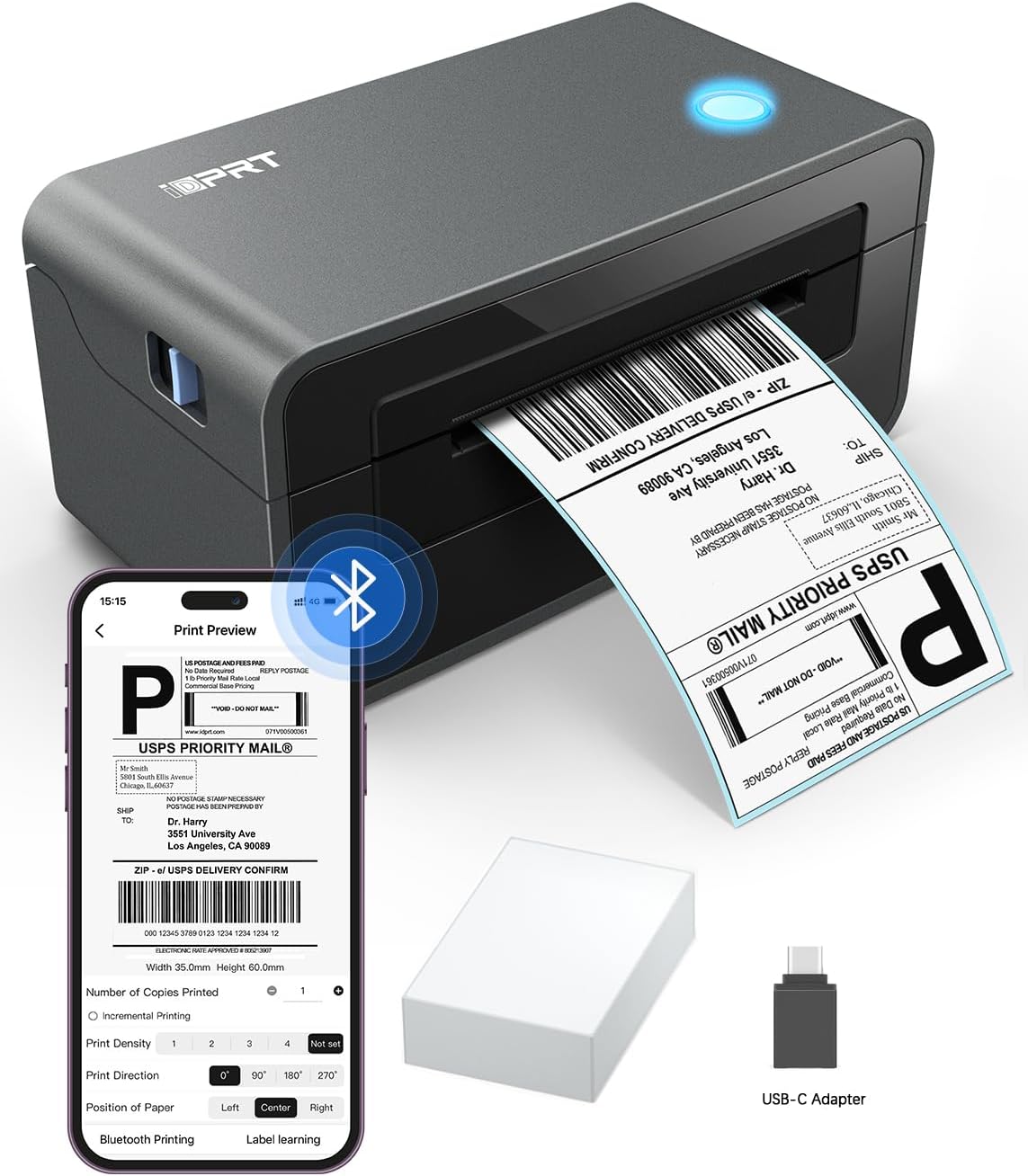
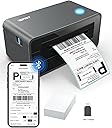
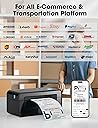
The iDPRT SP410BT Thermal Label Printer is a compact, high-speed 4x6 direct thermal printer designed for small businesses and warehouses. It supports wireless Bluetooth and USB connections across multiple operating systems, prints at 150 pages per minute with 203 DPI resolution, and handles a wide range of label sizes without ink or toner. Compatible with major e-commerce platforms, it streamlines shipping and order fulfillment with app-based setup and versatile label media support.


| Additional Printer Functions | Print Only |
| Asin | B0BS3XVF6X |
| B W Pages Per Minute | 150 pages_per_minute |
| Best Sellers Rank | #40,364 in Office Products (See Top 100 in Office Products) #88 in Desktop Label Printers |
| Brand | iDPRT |
| Built In Media | Labels, Power Cord, SP410BT Bluetooth Label Printer, USB C Adapter (Only for mac), USB Cable |
| Color | Black |
| Color Depth | 24 bpp |
| Color Pages Per Minute | 1 pages_per_minute |
| Compatible Devices | Laptops, MAC, Smartphones, Windows, iPhone |
| Control Method | Remote |
| Controller Type | Android |
| Customer Reviews | 4.2 4.2 out of 5 stars (5,823) 4.2 out of 5 stars |
| Duplex | simplex |
| Global Trade Identification Number | 06972220380184 |
| Hardware Interface | Bluetooth |
| Ink Color | Black |
| Item Dimensions D X W X H | 9.45"D x 6.69"W x 5.51"H |
| Item Type Name | Thermal Label Printer |
| Item Weight | 1.75 kg |
| Manufacturer | Xiamen Hanin Electronic Technology Co., Ltd. |
| Maximum Copies Per Run | 1 |
| Maximum Copy Resolution Black And White | 203 dots_per_inch |
| Maximum Copy Speed Black And White | 150 pages_per_minute |
| Maximum Media Size | 4 x 6 inch |
| Maximum Print Resolution Black And White | 203 dots_per_inch |
| Maximum Sheet Capacity | 50 |
| Model Name | SP410BT |
| Model Number | SP410BT |
| Model Series | Bluetooth Shipping Label Printer |
| Number Of Drivers | 2 |
| Other Special Features Of The Product | Bluetooth Connection, HD, High Speed |
| Output Sheet Capacity | 50 |
| Paper Size | Paper Width: 2"-4.25": 4*x6" 3"x2” 3"x1” 2"x1" 2-5/16"x4" inches |
| Print Media | Labels |
| Printer Connectivity Type | Bluetooth, USB |
| Printer Output Type | Monochrome |
| Printer Type | Thermal |
| Processor Count | 1 |
| Resolution | 203 DPI |
| Specific Uses For Product | Business, Home, Office |
| Total Usb Ports | 1 |
| Warranty Description | 1 year |
| Warranty Type | limited warranty |
User
Reliable, Easy-to-Use Label Printer for Small Business Needs
We purchased the iDPRT 4x6 Bluetooth Thermal Label Printer in 2024, and it has been a great addition to our business setup. It has worked exactly as expected from day one.We primarily use it for shipping labels, but it has also been very useful for printing thank you notes and invoices directly from our online platforms. The print quality is clear, and everything comes out quickly and consistently.One of the things we appreciate most is how easy it was to set up. It connected smoothly with our devices, and we were able to start using it right away without any complications. It works well across multiple platforms, which is important for a small business handling orders in different places.Overall, it has been reliable, simple to use, and has saved us time in our daily workflow. We have had no issues with the printer and would definitely recommend it to anyone looking for an efficient label printer for their business.
User
Easy to use
Great tool for making labels for small business! I ended up loving how easy the app adn printer are to use and the directions are easy to follow.
User
Amazing little printer!!!
⭐️⭐️⭐️⭐️⭐️The iDPRT SP410BT label printer has been a total game changer for my small business! Setup was simple once I followed the directions (tip: download the “HereLabel” app for Bluetooth printing). I love that it connects via both Bluetooth and USB and works perfectly with my iPhone, iPad, and laptop. The prints are crisp and clear (203 DPI) and it’s super fast—prints a 4x6 label in seconds! It’s compatible with Amazon, Etsy, and Shopify, which makes shipping so much easier. I’ve used both roll and fan-fold labels with no issues. The compact size fits neatly on my desk, and I love not having to buy ink thanks to the thermal printing technology. Highly recommend this printer for anyone who ships regularly—it’s efficient, affordable, and reliable!
User
*** WARNING *** Infected Software
This review is for a SP410BT that I intended to use to print occasional 4x6 inch shipping labels and folder labels, like 17mm x 87mm or 17mm x 54mm.The printer setup was easy enough. I did (reluctantly) download their printer driver and had the printer functional for tests within only a few minutes. That's where the good part of this review ends.I then went to the iDPRT web site, the same site I got the print driver from, and downloaded IDPRT Label Designer V1.01.11.zip. I carefully unzipped that archive extracted the Label Designer V1.01.11.exe installer and scanned it for viruses. So far so good.When I ran the installer it did the typical query asking me to allow the software to modify the system. I accepted that. Once the software was installed I took a brief look at all the menus, and noticed there was one to update the software. Figuring I wanted to make sure I was using the latest version I chose Update. UGH!The Label Designer program then downloaded an executable called Update.exe and within that program was something called HMark.exe that contained the Trojan:Win32/Wacatac.H!ml A review of that one indicates it could potentially be very damaging and possibly very difficult to remove. I then spent the next couple of hours running scans and removals on the system and attempting to ensure that it is free of any infection.My use of this printer stops right there. Even if by chance this is a false positive, that's something that iDPRT could determine by testing themselves. The printer is going back - I can't worry whether there is some back door in the application, or at some point in the future their software gets an update that causes an infection to my system. Zero stars if I could choose it.The printer looks to be a good value for the money and well made. I would only recommend this device if you stay clear of their software. For me, I'm looking for a solution that includes software and this experience now has me looking for an another product.
User
Works Great!
Excellent.Much more convenient and cost-effective than using stick-on half-sheet labels. Bluetooth can be a bit wonky, but it works—you may occasionally need to power cycle the printer to reconnect. I had a different Bluetooth issue previously, and iDPRT support was very helpful to work with.To make it even better, I designed a custom riser and a label holder for it that significantly reduce its footprint on my desk. If you'd like to print them for your own setup, you can find them on Makerworld by searching for: 'iDPRT SP460BT Thermal Label Printer Stand' and 'Diamond-Cut 4x6 Thermal Label Holder'.
User
Great so far!
Writing this review the day of receiving and printing my first labels. Will update if I encounter issues. Apologies for long review... I try to include as much detail as it is a large purchase relative to other things!Ignore all reviews saying setup is hard/bad. Took me 15 minutes - and that's only because I was on a work call while doing it. Very simple setup. Plug in usb and power, download driver from their website (small file, maybe 1 min tops to download and install - literally just click it and keep hitting "next"), then configure using their guide (maybe 10 min if you REALLY take your time). After that, I printed a label perfectly.I am a vintage/antique dealer on Etsy. Prior to this thermal printer, I would use inkjet label sheets with 2 labels per sheet. Cost was relatively low... until my ink ran out. Was faced with $50 (offbrand) to $80 (HP brand) in ink replacement expenses. Decided to spend $80 (used like new) on a thermal printer instead and am very pleased. One major thing I didn't realize was I could now print 1 label at a time with no guilt - no wasted half sheets that I could forget to feed back into my printer and use in the future. Also allows me to stay better on top of orders by printing one at a time and not waiting for 2 labels for 1 sheet to optimize use.One other thing I see mentioned in some reviews is print quality. It's not art. You aren't printing the Mona Lisa. But it's still great. From what I see, it prints shipping labels very cleanly and legibly. It is at the same quality as my inkjet labels (if not higher being that it avoids "low ink" fading).If you're where I am - wanting to offset cost in ink especially - I highly recommend. I am hoping the printhead lasts for 160k prints as it claims. That's MUCH better than the 600 sheets (1200 labels) I would get for $50+ on an XL black ink cartridge.
User
Thermal label printer
This printer is so easy to use. I like the small size and speed. It prints quickly and makes it easy
User
Perfect Label Printer
Printer has changed the way I do shipping. It is easy to use and it makes everything I do look very professional! I use it for all of my eBay shipping and the labels print out perfectly! It is very small and does not take up a lot of space which is very important because I have a small desk.
User
A pain to use under MacOS. Drivers need major overhaul.
I still have yet to print shipping labels without exporting to another device to crop, send back to my computer and then print so it fits the 4”x6” label format without having most of the image cropped off one side or the image shrunken to just occupy about 1/3 of my label. Mac OS drivers installed, convoluted Java installation instructions and tinkering with the Terminal window aren’t the basic “plug & play”installations a setup like this should be a breeze through.The unit is fast, compact, and otherwise seems to work as intended, but the manufacturer really should get this firmware streamlined like modern day software. Even their YouTube tutorials are vague, with illegible text instructions; their main instructional method is simply pointing at things.
User
Please Don't buy from this seller
The Product is good but seller is not a good guy he doesn't respond me I have missing some item in my order now I want to contact the seller which is not available
User
bad product
after purchased no work , if you try connect customercare call international phone no , balance debited so much , but no anything responce , I am in my life buy to much item , but this is printer to bad bad Choise ,,after I am fresh a new complain after 9 month in 2 days Recived Replasment , I am happy thanku , I am check new product work as good as well
User
Printer is not good at all
Printer is not good, after 6 month it started showing problem and not printing just blow the blank paper and no support at all ( can you help me to repair this printer because no one ready to repair this printer
User
Best
Using this since a couple of years now. Very good quality. No issues at all. Highly recommend.
Trustpilot
1 week ago
2 weeks ago