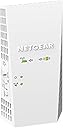
Desertcart purchases this item on your behalf and handles shipping, customs, and support to French Polynesia.
🚀 Elevate your WiFi game—coverage, speed, and seamless roaming in one sleek extender!
The NETGEAR EX6250 AC1750 WiFi Mesh Range Extender dramatically expands your wireless network coverage by up to 2,100 sq.ft., supporting up to 35 devices with dual-band speeds reaching 1750 Mbps. Compatible with any router, it uses Mesh Smart Roaming to maintain a single SSID for uninterrupted connectivity, ideal for HD streaming, gaming, and multi-device households. Its Gigabit Ethernet port adds wired device support, making it a versatile and powerful solution to eliminate WiFi dead zones.


| ASIN | B07MDZ8G4T |
| Best Sellers Rank | #7 in Repeaters |
| Brand | NETGEAR |
| Built-In Media | AC1750 WiFi Mesh Extender (EX2700), Quick start guide |
| Compatible Devices | fgh |
| Connector Type | RJ45 |
| Customer Reviews | 4.0 out of 5 stars 4,462 Reviews |
| Data Transfer Rate | 1750 megabits_per_second |
| Frequency | 165 |
| Frequency Band Class | Dual-Band |
| Frequency Bands Supported | 2.4 GHz, 5 GHz |
| Global Trade Identification Number | 00606449136906 |
| Item Dimensions D x W x H | 1.75"D x 3.2"W x 6.34"H |
| Item Type Name | NETGEAR AC1750 Wifi Mesh Extender (EX6250) |
| Item Weight | 10.56 ounces |
| Manufacturer | NETGEAR |
| Mfr Part Number | EX6250-100NAS |
| Model Number | EX6250-100NAS |
| Number of Items | 1 |
| Range | 2100 square_feet |
| Special Feature | Remote Access |
| Special Features | Remote Access |
| UPC | 606449136906 |
| Unit Count | 1 Count |
| Warranty Description | 1 year warranty |
| Wireless Communication Standard | 802.11ac |
| Wireless Compability | 802.11ac |
P**E
Make sure to deactivate existing extenders that won't be used in new network setup
2.4G and 5.6G signals were very weak on patio and deck .. the EX6250 boosted BOTH bands by at least 20dB ! Unit is very easy to setup (as repeater using same SSID as main router) using the Netgear Nighthawk app ... BUT ... make sure to deactivate any existing extenders that you won't be using after the install (my first attempt boosted both signal bands, until I unplugged a small TPLink 2.4G unit used as a repeater, which caused problems with connections in that band. Second attempt (after hard resetting EX6250) was successful. Be patient during the setup .. it takes a few minutes for this extender to figure out your network configuration! Configuration has EX6250 about 20ft from router (thru 3 walls and highly metal populated utility room) and about 10ft to devices on patio and deck (with the 20dB signal improvement on both bands). Even the 5GHz signal is solid. Usual 2GHz wireless speed is about 80Mbps close to router .. am getting well over 40Mbps thru repeater (the 5GHz band is yielding 350Mbps via repeater!). While noting that this is an early review by a seasoned EE (time will tell), I see no indications of heat related impacts on circuit reliability (EX6250 surface temp is below 100deg F). Reviews indicating accelerated degradation in performance could be caused by other environmental factors (poor air circulation, electrical line surges and dips, and worst of all .. frequent power on/off events .. electronic devices don't like to be power cycled). The only downside .. so far .. is the amount of space this unit takes in a typical electrical outlet (I have it plugged into the upper outlet with barely enough room for a short 3 prong extension cord) . This is a tough design issue, since you need enough room below the unit to support the freestanding device with only the outlet as support (you could always use an extension cord to move the repeater out of the way of the outlet). One more note .. there's a lot of arguments made by network experts as to the advisability of using the same SSID as your main router. Be advised that the Nighthawk app sets up this EX6250 extender on the same SSID (this is a WiFi MESH extender) .. and uses the same physical RF channels for both bands. I, personally, prefer this setup to simplify device roaming connections .. and to be able to use common network resources (such as a central network drive used for general storage and video streaming) from anywhere in the house .. different extender SSID assignments will make this more difficult. Operational switchover in areas where the main router and EX6250 extender signal levels are similar is device dependent (some devices will switch over cleanly .. some will "hiccup") .. this is a function of each devices network chipset .. and the particular device drivers used. Bottom line .. after a lot of research for a capable extender that keeps my main SSID intact (on both bands) .. and avoids replacing a very nice TPLink router with an expensive mesh network setup ... the Netgear EX6250 is a perfect fit for ME! I used the "EX6250" identifier, repeatedly, throughout this review, since I have noted often confusing Amazon reviews that reference different product models ... unfairly impacting the reviews for the product model in question. There may be other WiFi extenders with setup, reliability and performance issues that have "cross-pollinated" with reviews for this device ... so take those reviews with a "grain of salt" (good, or bad reviews).
C**R
Great wifi mesh extender
Used this to get a better wifi signal down in my basement, 3 stories down. It works flawlessly but follow the directions to a T. I had to reset it a couple of times because I failed to follow them, even had to watch a YouTube video, but once I did everything correctly I got full signal 3 stories down through multiple layers of concrete.
A**R
EX6250 is a decent bridge, in clunky wall wart packaging, but skip the app
UPDATE (a day later): speeds picked up when I moved devices off repeated WiFi to a switch bridged through the Ethernet jack, so I now see 280Mbps. I like the EX6250 as a bridge. ORIGINAL: My goal was to bring most of my ISP full 300Mbps broadband speed to my home office at the other end of the house. Speeds in that office were previously on the order of 50Mbps, while the rest of my wired network and some of my WiFi routinely reports 300Mbps. Connecting a gig ether switch off the Ethernet port, I've been able to improve that 50 to 150, both as a bridge and repeater, measured with fast.com. The product is actually a fairly good bridge, which is not how it's advertised. Similarly, while the enclosed instructions offer two paths to installation, the best path to installation is not advertised, and that's through the Ethernet jack and its internal web interface, only hinted at for advanced configuration options, mywifiext.local. If you use this interface, the configuration is fairly straightforward. From there, you can decide whether you want the repeater to use the same SSID, for seamless transitions, or a different SSID, so you can see which WiFi you're measuring for diagnosis and performance tuning. In my case, I bought an open box product, which Amazon had failed to reset, leaving in place the previous password I was not provided. That requires a paper clip and a quick search in Netgear support. What was included in the instructions package was encouragement to load a ridiculous Netgear app on your phone, for which you need to create an account with the company, a needless grab at your private information, which I find despicable. Thus, I find myself torn between recommending a competent technical device and recommending against a disgracefully greedy marketing department who has lost my respect. One more annoying inconvenience: the device is set up as a three prong wall wart, so you'll likely want a grounded extension cord to connect it to power.
Q**B
Not as easy or robust as it should be ****update****
This is not my first extender but I was due for an upgrade and decided to take a chance on this one, the E6250. I'll start here, it was real close to going back and still might. The app for the set up was a miss for me, didn't work any of the 5 or 6 times I tried it, I'm using an android phone with the app if that helps anyone? Plugged it in directly and went through the set-up process and it connected, everything was pretty good at this point, the frustration of the app took a backseat to the fact at least I got it. Got everything hooked up and it seemed to really be working pretty well. The next day and it wasnt broadcasting anything on the 5G band? Logged in and sure enough, nothing broadcast on 5G even though it was set to on. 2.4 Broadcast was still fine. Factory reset again and doing the same process, it worked again, 6 hrs later, no signal..... again? Repeat, go out to the trash to recover the box its going back in only to get caught up doing stuff with the kids, At this point it hasn't lost its mind or the 5g signal again so there's that. The pros to this is when it works, it seems to really works well, its nice I can pick and choose if the item needs 5.0 or 2.4. Coverage seems to be just fine and about what they claim, I have no dead spots in the house so that's great. Given the issues I've had with it so far I just can't give it a higher rating, I had a Netgear repeater for like 5 years before this and it finally dawned on me an upgrade was badly needed but had -0- issues with it the entire time. Went with another Netgear because it was so good. But, For now its working and seems to be doing ok, Should anything happen in the near future I'll stop back by and append, Hope this helps somebody. *** Okay, Update: changing my 2 star to a one star, after two tries I'm going to just say either I have no idea what I'm doing or these just are not very good. For the life of me I cant figure out why it will not stay broadcasting in 5G? I've reset, I've redone, I've even returned and gotten another one, neither would stay broadcasting in 5G? also I'm not sure how I can log onto my router wi-fi, have a 70mpbs download speed, log onto the repeater which is logged onto the router wi-fi signal and get between 20-28mpbs? same signal? even with the "Fastlane" option enabled its less than half of what its receiving? Weird to because my 6yr old netgear repeater was awesome? guess I'll go back to that.......
C**S
If you have a weak wifi signal, buy this to boost it. IT WORKS!
NETGEAR WiFi Mesh Range Extender EX6250 Price as of 11/11/2020 List Price: 119.99 Discount Price I paid: $89.00 _______________________________ 2.4Ghz is slower speed wifi but the signal travels farther 5Ghz is faster speed wifi but the signal doesn't travel as far _______________________________ My Goal: Extend my verizon fios router wifi signal for both 2.4Ghz & 5Ghz to my entire NYC apartment. (Large apartment with many bedrooms, many walls, some of those walls are concrete) My Verison fios wifi router is on one end of my apartment and i need to boost the signal from that to the other end of the apartment. _______________________________ Currently: I have a Linksys wifi extender i bought years ago but it's too weak to boost both 2.4ghz & 5ghz to the other side of my apartment, it's not strong enough to penetrate all the walls. All the walls in my apartment eat up the wifi signal. _______________________________ New Setup: With this new Netgear wifi extender, i was able to remove my older wifi extender and i plugged this new Netgear wifi extender into an outlet on the other end of the apartment and now i get FULL BARS for both 2.4Ghz & 5Ghz in the ENTIRE apartment! _______________________________ The Netgear status shows me the signal strength the extender is picking up: 2.4Ghz signal strength: 162Mbps 5Ghz signal strength: 585Mbps _______________________________ INSTALLATION (setup): (It comes with a paper instructions booklet plus the instructions are online) Google: EX6250 The instructions are on the Netgear website. Very basic simple instructions. Connect to the netgear extender using a device that has wifi (i used a windows 10 PC), connect it to the netgear wifi extender and then in your web browser go enter this URL address: http://192.168.1.250 (You should be able to do this same thing on a mobile phone or tablet) That will take you to the Netgear admin page where you can follow the steps to configure your device. _______________________________ Additional options: There is an ethernet port on the device if you want to hardwire an ethernet cable to the wifi extender to configure the admin settings and as another way to connect the wifi extender to your network. Fastlane option. From what i read, that will boost your 2.4Ghz or 5Ghz signal. You have to turn this option on and then you need to pick which signal to boost. You can only do one. So have to pick 2.4Ghz or 5Ghz. So if you only need 5Ghz then you can use fastlane on the 5Ghz and the 2.4Ghz will be turned off. And now your 5Ghz will be faster. NOTE: I would not use the "fastlane" option because Amazon Alexa smart plugs use 2.4Ghz. They won't work with 5Ghz unless you can find ones that do. There is a 1 button quick setup. (WPS) but i don't use that. That basically lets you configure your home router so that if you press the WPS button on two devices (router and wifi extender). They will quickly sync together (quick setup) but you need to have that WPS option on your home router for it to work and that option needs to be enabled to allow it. NOTE: I don't use that because that will also allow anyone to walk over to your router and connect themselves to your network without needing any passwords. (bad security) Access point option. I don't plan to use that option. The wifi extender has a ethernet port on it, for the access point to work you need to use an ethernet cable and connect your router and this wifi extender together. I'm not 100% sure what the access point would be good for because the wifi extender option works really well. It's all you really need. I don't know much about how that access point would work or how you should or could use it so i wont comment much on that. In the end i ended up using the Ethernet port on the WIFI Extender to connect an ethernet cable from the WIFI Extender to my Roku. Another good option, buy a small 8 or less port Ethernet Hub. Connect an Ethernet cable from the WIFI extender into the Hub. Now you can connect devices with an Ethernet cable (laptop, ethernet printer, etc), directly to the WIFI extender (assuming you need / want a wired connection) The only reason to do this? Possibly a more stable internet connection? If all else fails. Try that. _______________________________ CONCLUSION: This Netgear wifi extender is POWERFUL while being very compact. No external antennas required. Looks very clean when installed into a wall outlet. If you install at the top outlet, the bottom outlet will NOT be blocked. I highly recommend buying it. A little pricey but it works well! Now it may be overkill if your apartment is very tiny. But if you have a ton of bedrooms with lots of walls & weak wifi signal. This should easily fix it. If you have a big home especially with a big backyard and you currently have a weak signal. This might also be useful to cover a huge range and get wifi across your whole home and yard. BUT check the specs first. The specs show the range it covers. It looks like you can connect two of these wifi extenders together if you need a bigger range but start with only 1 because it works so well you might only need 1.
D**K
works great until it doesn't
easy to install. we had almost no wifi signal on the north side of the house to our camera and generator. after installing the extender, the signal strength more than double...to the point where I can access the camera and generator (via apps) without any issues (keep in mind the signal is going through drywall and a concrete block wall). definitely recommend...and would buy again. UPDATE. the product works great until it burns out. I had one on each end of the house to cover all cameras, etc. I've had to purchase 2 replacements because the originals burned out after a couple years. I got tired of replacing them so I went with a TP link extender. Cheaper, easier to set up...but we'll see if it lasts or burns out like these do (a total of three out of 4 have burned out/stopped working)
D**G
Stronger WiFi connection and great performance boost!
I’ll get straight to the point. I have had this extender for only 24 hours and as of this review (6/14/2021) it’s exceeding my expectations. Living in an apartment with very thick walls my WiFi connection struggled to reach my room. I would get on average 12-15 Mbps download and only 1-1.5 Mbps upload speed on a 2.4ghz connection. Now I’m finally getting a 5G connection with 65-70 Mbps download and 6-8 Mbps upload speed! Gaming online is smooth, it’s like I’m on a wired connection compared to the nightmare lag spikes I used to experience. Even during the afternoon peak hours for my internet I’m still at 5G and getting high 50s to low 60s Mbps. The one downside is that the nighthawk app needs much improvement. I would get stuck loading after setting up my account to finish the installation. Each time I got stuck in the loading screen I just force close the app and had to do it over. The problem was it happened at least five times and it was frustrating because I would have to enter the new account info every time. With that aside, I would still say it was easy to install for me and I’m very satisfied with my EX6250.
J**Y
The best one so far it is a decent wifi extender for 50.00 price range (read my review )
Well I will say I have tried 5 different WIFI extenders with no luck but i think this is the one that will fill my needs I have a small man cave in the basement so I have WIFI need gaming, tv, computing so my WIFI signal in the basement was very week I tried moving the router and 3 different modem routers the comcast one was junk and paying 20.00 a month and it stunk signal wise tried a different band forgot the name is was bad also. So I hopped on amazon found a modem router a Netgear one 99.99 but out of stock had to purchase it a best buy sorry amazon works great and no 20.00 a month charge and a 29.00 extended warranty your good to go and my signal is great every were but the basement so I hopped back on amazon again to find this net gear WIFI mesh range extender and boom there it is the WIFI signal I have been needing so thank you Netgear and amazon and i got it the next day and set up was a breeze about 10 mins start to finish so if your in need of a WIFI extender please try this one i am very please cant speak for long term effect and will it start having issues hope not but we will see
H**E
Funciona bien
No es tan fácil de programar pero funciona y se ve bien.
R**N
Brilliant.
Great product. Boosted our wifi signal significantly and was able to use the Ethernet port also. Fantastic.
R**S
Estensione rete Wi-Fi
Tutto ok
L**S
Desempeño y confiabilidad
Es muy compatible con modems o routers
J**R
Tengo Internet donde no tenía
facilidad para configurar
Trustpilot
2 weeks ago
1 month ago